Yes, you can transcribe audio without internet by using offline transcription software that processes recordings directly on your device. Offline transcription allows you to convert meetings, interviews, lectures, and voice recordings into text without continuously uploading audio files to online services.
Many users search for ways to transcribe audio without internet because they want more privacy, fewer usage restrictions, and reliable access when they are traveling or working without a stable connection.
Some tools provide a privacy-focused transcription workflow with local transcription options, searchable transcripts, speaker separation, and export features across devices.
What Does It Mean to Transcribe Audio Without Internet?
To transcribe audio without internet means converting spoken audio into written text without relying on a constant connection to cloud servers.
Offline transcription is different from simply downloading a transcript after cloud processing. The speech recognition itself runs locally on your device, so audio does not need to be continuously uploaded during transcription.
Traditional transcription services usually work like this:
Audio recording
↓
Upload file
↓
Cloud processing
↓
Receive transcript
Offline transcription software follows a different approach:
Audio recording
↓
Local AI processing
↓
Transcript generation
↓
Search, edit, export
Instead of sending recordings to remote servers, offline tools process audio locally using speech recognition models installed on your device.
This approach is becoming increasingly popular among:
- journalists recording interviews
- researchers collecting field recordings
- professionals handling confidential meetings
- students reviewing lectures
- creators managing large amounts of audio content
Why Do People Need Offline Audio Transcription?
The demand for offline transcription software is growing because users want more control over their recordings.
1. Privacy Protection
Audio recordings often contain sensitive information:
- customer conversations
- business discussions
- interviews
- research data
- personal notes
When using cloud transcription services, audio files may need to be uploaded before processing.
For privacy-conscious users, a local transcription workflow provides more control over where recordings are processed.
A private transcription app can be especially useful for professionals who regularly handle confidential information.
2. No Internet Connection Required
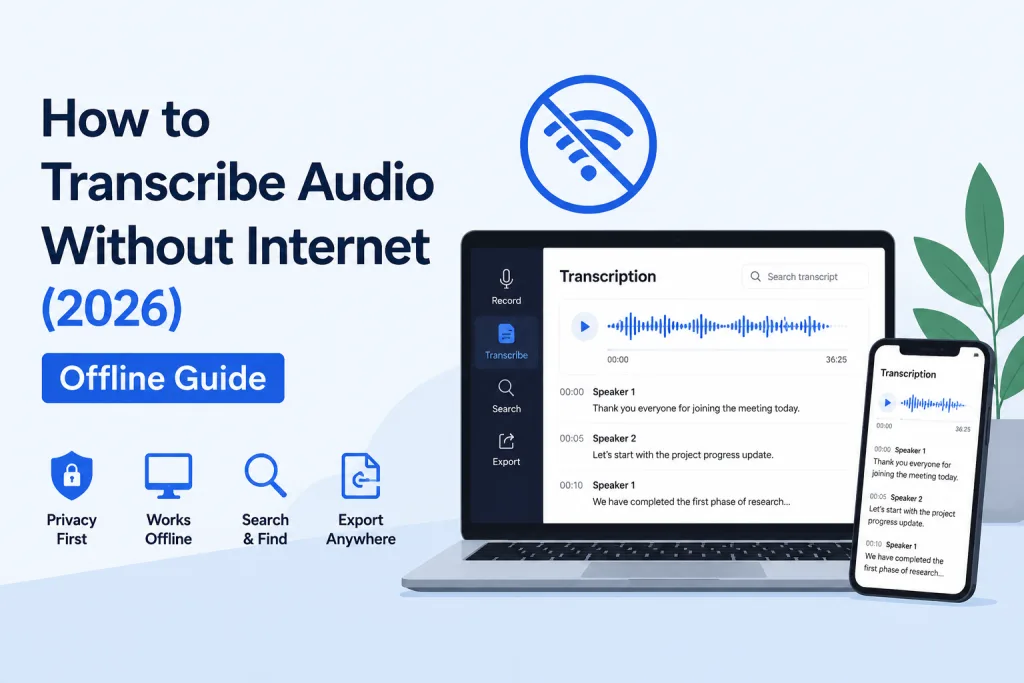
Internet access is not always available.
Common situations include:
- airplane travel
- remote locations
- conferences with unstable Wi-Fi
- offline working environments
An offline audio to text converter allows users to continue working without waiting for a connection.
3. Avoid Cloud Limits and Usage Restrictions
Many cloud transcription services use:
- monthly transcription limits
- minute-based pricing
- subscription tiers
For users who process many hours of audio, local transcription software can provide a more predictable workflow.
How Does Offline Transcription Work?
Modern offline transcription uses AI speech recognition models that run directly on your device.
The process usually includes:
Step 1: Import or Record Audio
Users can start with:
- voice recordings
- interviews
- meetings
- podcasts
- lectures
- video audio tracks
Step 2: Local Speech Recognition
The transcription model analyzes:
- speech patterns
- words
- sentences
- speaker changes
The audio is converted into text without requiring constant communication with a cloud service.
Step 3: Search and Organize Information
Modern transcription tools are moving beyond simple text conversion.
A useful transcript should allow users to:
- search keywords instantly
- find important moments
- jump to timestamps
- review specific conversations
- export notes
This is where searchable transcripts become more valuable than traditional meeting notes.
Best Tools to Transcribe Audio Without Internet in 2026
Different tools solve different problems.
| Tool | Offline Capability | Best For |
| Geode | Local transcription workflows | Privacy-focused users who need search and export |
| MacWhisper | Local Mac transcription | Mac users processing audio files |
| Whisper-based apps (eg. Whisper.cpp) | Local AI transcription | Technical users |
| Otter.ai | Mainly cloud-based | Team collaboration |
| Fireflies.ai | Cloud workflow | Sales teams |
| Notta | Cloud transcription | Multilingual users |
Geode: A Privacy-Focused Way to Transcribe Audio Without Internet
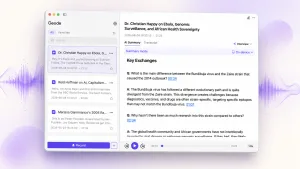
Instead of only creating text, Geode focuses on turning conversations into searchable knowledge.
A typical workflow:
Record or import audio
↓
Transcribe locally
↓
Search keywords instantly
↓
Jump to exact moments
↓
Export TXT or Markdown
Key Features
Local Transcription Options
Geode supports local transcription workflows that help users process recordings with greater control over their data.
This is useful for:
- interviews
- meetings
- research
- personal recordings
Searchable Transcripts
A transcript is only useful if you can find information later.
Geode allows users to:
- search important keywords
- locate specific sections
- jump directly to relevant moments
Instead of manually listening through hours of recordings, users can quickly find what matters.
Export and Knowledge Workflow
Geode supports exporting transcripts into formats such as:
- TXT
- Markdown
This makes it easier to move information into:
- notes systems
- documentation
- research workflows
Cross-Device Access
Geode supports one account across:
- iPhone
- iPad
- Mac
- Android
- Windows
This helps users maintain a consistent workflow across devices.
Offline Transcription vs Cloud Transcription: Which Is Better?
There is no single answer.
The right choice depends on your workflow.
| Offline Transcription | Cloud Transcription | |
| Privacy control | Higher user control | Depends on provider |
| Internet requirement | Lower dependency | Usually requires connection |
| Processing speed | Depends on device | Depends on server |
| Collaboration | Usually limited | Usually stronger |
| Large team workflow | Less common | Common |
| Personal knowledge management | Strong | Depends on product |
When Should You Use Offline Transcription Software?
Transcribe Interviews Offline
Journalists, researchers, and creators often record interviews containing valuable information.
An offline transcription workflow helps users:
- process recordings privately
- search quotes quickly
- review conversations efficiently
Transcribe Meetings Offline
Not every meeting needs to become a cloud document.
For sensitive discussions, local transcription can provide more control.
Examples:
- product planning meetings
- customer interviews
- strategy discussions
Convert Audio to Text Without Uploading
Some users simply want to convert recordings into text without sending files elsewhere.
Offline audio to text converters are useful for:
- personal notes
- voice memos
- recorded ideas
- research materials
How to Choose the Best Offline Transcription App
Before choosing an offline transcription tool, consider these factors.
1. Accuracy
Speech recognition quality depends on:
- audio quality
- language support
- background noise
- speaker clarity
2. Speaker Separation
For interviews and meetings, speaker identification is important.
Look for tools that can distinguish between different speakers.
3. Search Features
A good transcription app should not stop at text generation.
Useful features include:
- keyword search
- timestamps
- quick navigation
4. Export Options
Your transcript should be easy to reuse.
Common formats:
- TXT
- Markdown
- documents
- notes systems
5. Platform Support
Consider where you work:
- Mac
- Windows
- iPhone
- Android
A cross-platform workflow can be important for users who switch devices.
Conclusion: Is Offline Transcription Worth It?
For users who only need occasional transcription, cloud-based tools may be convenient.
However, users who regularly work with interviews, meetings, research, or private conversations may benefit from an offline transcription workflow.
The best offline transcription app should not only convert audio into text.
It should help you:
- find information quickly
- search past conversations
- jump to important moments
- export knowledge into your workflow
Geode combines local transcription options with searchable transcripts and cross-device workflows, helping users turn recordings into reusable knowledge while maintaining greater control over their data.
Can I transcribe audio without internet?
Yes. Offline transcription software can convert audio into text locally without requiring a continuous internet connection.
What is the best offline transcription software?
The best offline transcription software depends on your needs. Tools like Geode and MacWhisper are suitable for users who prefer local transcription workflows.
Can I convert audio to text without uploading files?
Yes. Local transcription software can process recordings directly on your device without requiring file uploads to external services.
Is offline transcription more private?
Offline transcription can provide more control because audio processing can happen locally instead of relying entirely on cloud services.
Can I transcribe interviews offline?
Yes. Many professionals use offline transcription tools to process interviews, research recordings, and field notes.
Does offline transcription work on Mac and Windows?
Some offline transcription tools support multiple platforms. Geode supports workflows across Mac, Windows, iPhone, iPad, and Android.
What is the difference between offline and cloud transcription?
Offline transcription processes audio locally on your device, while cloud transcription sends audio to remote servers for processing.
Does offline transcription require AI?
Yes — the transcription itself is powered by AI, but “offline” refers to where that AI runs, not whether AI is involved.
Offline transcription tools use machine learning-based speech recognition models (like OpenAI’s Whisper or similar architectures) to convert audio to text. The key difference from cloud transcription is that the model runs directly on your device instead of on a remote server. You typically download the AI model once (which does require an internet connection), and after that, transcription itself works without any connection. The model processes audio locally using your device’s own processing power.
So the AI doesn’t disappear when you go offline — it just moves from “somewhere in the cloud” to “right there on your laptop or phone.”
Is offline transcription as accurate as cloud transcription?
It depends on a few factors, but the gap has narrowed significantly in recent years.
Cloud transcription services can run larger, more resource-intensive models since they’re not constrained by a single device’s memory or processing power. In theory, that can give cloud transcription a slight edge, especially with:
– Heavy background noise
– Strong accents or uncommon dialects
– Multiple overlapping speakers
– Less common languages
Is offline transcription unlimited?
Some applications provide unlimited local transcription depending on their pricing plans and supported features.