
A two-hour interview can contain valuable insights, but turning a long recording into a usable transcript is often a time-consuming task.
Researchers, journalists, content creators, and professionals frequently need to review long conversations, find important quotes, and organize information from interviews.
The traditional approach requires hours of manual listening and typing. Today, AI transcription tools provide a faster way to convert long interview recordings into searchable text.
To transcribe a 2-hour interview with AI, you typically import the recording into a transcription tool, generate a transcript, review important sections, and organize the results for analysis or content creation.
Although this guide focuses on a two-hour interview, the same workflow applies to most long interview recordings, long audio files, and other long-form conversations.
Why Are Long Interviews Difficult to Transcribe?
A two-hour interview may contain thousands of words and multiple conversation patterns.
Common challenges include:
1. Manual Transcription Takes Too Much Time
Manual transcription requires:
- Listening to the recording
- Pausing frequently
- Typing every sentence
- Replaying unclear sections
- Formatting the transcript
Manual transcription often takes three to five times longer than the original recording, depending on audio quality, the number of speakers, and the transcriber’s experience.
2. Finding Important Information Is Difficult
Long interviews often contain useful information spread across many sections.
Without a transcript, it can be difficult to:
- Find specific answers
- Locate quotes
- Compare topics
- Review key moments
A searchable transcript makes the interview easier to analyze.
3. Multiple Speakers Need Organization
Many interviews include:
- Interviewer questions
- Participant responses
- Follow-up discussions
Without clear organization, reviewing a long conversation becomes more difficult.
Speaker separation can help structure transcripts by distinguishing different parts of a conversation.
Three Ways to Transcribe a 2-Hour Interview
There are three common approaches.
| Method | Time | Cost | Review |
| Manual | High | Low | Full control |
| Human service | Medium | High | Human review |
| AI transcription | Low | Low-Medium | Recommended |
Method 1: Manual Transcription
Manual transcription means listening to the recording and typing the conversation yourself.
Advantages
- Complete control over formatting
- No external tools required
- Useful for short recordings
Disadvantages
- Requires significant time
- Difficult for multiple interviews
- Easy to lose focus during long recordings
For a two-hour interview, manual transcription may not be the most efficient option.
Method 2: Human Transcription Services
Professional transcription services provide human-created transcripts.
Advantages
- Human review
- Useful for specialized projects
- Less manual work
Disadvantages
- Higher cost
- Requires sending recordings externally
- Processing time varies
This approach may work for projects where human review is a priority.
Method 3: AI Transcription
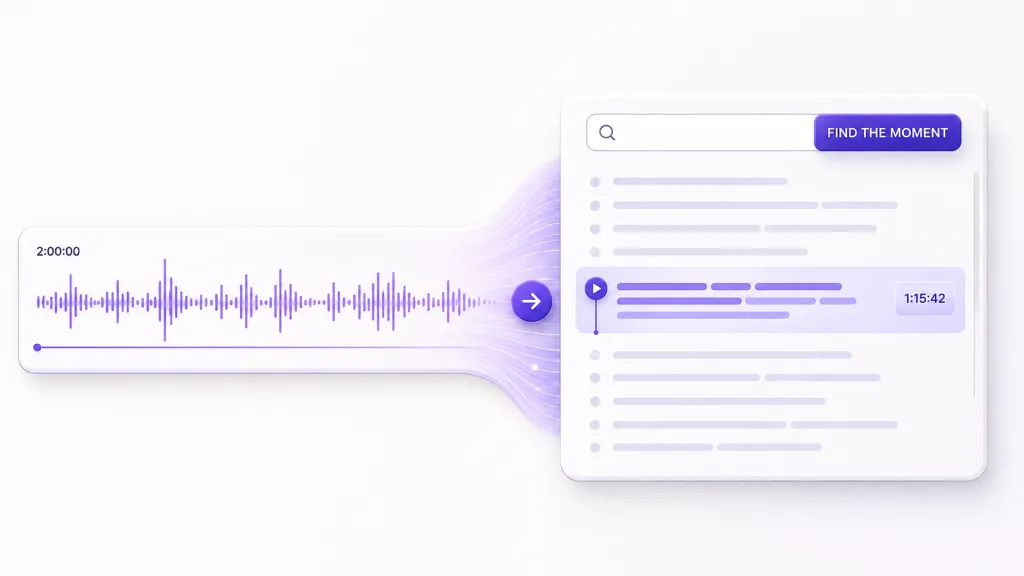
AI transcription software converts speech into text automatically.
A typical workflow:
- Upload the interview recording
- Generate a transcript
- Review the transcript
- Edit important sections
- Create notes or summaries
AI transcription is especially useful for:
- Long interviews
- Research conversations
- Podcast interviews
- User interviews
How to Transcribe a 2-Hour Interview With AI
Step 1: Prepare the Recording
Before transcription:
- Use a clear audio file
- Remove unnecessary background noise when possible
- Keep the original recording
Common formats include:
- MP3
- WAV
- M4A
- MP4
Step 2: Import the Interview Recording
Upload or import the audio file into your transcription workflow.
For long interviews, choose a tool that can handle longer recordings without requiring manual splitting.
Step 3: Generate the Transcript
AI transcription converts the interview audio into text.
Depending on the tool, the transcript may include:
- Timestamps
- Search functionality
- Speaker separation
- Language support
Step 4: Review and Organize the Transcript
AI-generated transcripts should be reviewed before using important information.
Useful actions include:
- Correcting unclear sections
- Highlighting important quotes
- Adding notes
- Organizing research themes
- Searching the transcript for names, topics, or quotations instead of replaying the recording
Step 5: Create Summaries and Insights
After transcription, researchers and professionals can turn interviews into:
- Research notes
- Article outlines
- Meeting summaries
- Content ideas
How Geode Helps Transcribe Long Interviews
Geode is a privacy-focused AI transcription app designed for users working with long recordings and conversations.
For long interviews, Geode helps users:
Convert Long Recordings Into Searchable Transcripts
Long interviews are where searchable transcripts become especially valuable. Instead of replaying a two-hour recording to find a single quote, users can search the transcript for names, topics, or phrases in seconds, then review the relevant section in context.
This is useful for:
- Research interviews
- Journalism interviews
- Customer conversations
- Long discussions
Organize Conversations With Speaker Separation
Long interviews often involve different speakers.
On Mac and Windows, Geode’s speaker separation helps organize different speakers within transcripts, making conversations easier to follow during review.
This is useful when reviewing:
- Interview questions and answers
- Multi-person discussions
- Research conversations
Review Interviews With AI Summaries
After creating a transcript, users can use an AI summary to get a quick overview of major topics and discussion points. On-device Smart Summaries are available on Mac; optional cloud summaries are available when users choose them on supported platforms.
This helps with:
- Initial review
- Research preparation
- Content planning
Work With Different Languages
For international interviews, multilingual transcription support can help users process conversations in different languages.
How Long Does It Take to Transcribe a 2-Hour Interview?
The time depends on the transcription method. Manual transcription often takes three to five times longer than the original recording, while AI tools can create an initial transcript much faster before review.
AI transcription does not remove the need for review, but it can reduce the amount of manual typing required.
Tips for Better Long Interview Transcription Results
Use Good Recording Quality
Better audio generally improves transcription results.
Tips:
- Use a quality microphone
- Reduce background noise
- Keep speakers close to the microphone
Keep Original Recordings
Always keep the original audio file for reference.
Review Important Quotes
If using interview content for research, journalism, or publishing, review important sections carefully.
Organize Transcripts Immediately
A simple workflow:
Interview Project
├── Recordings
├── Transcripts
├── Notes
└── Analysis
Conclusion
For anyone who regularly works with long interviews, the best transcription workflow is usually the one that makes recordings easier to review later – not just faster to transcribe.
Searchable transcripts, speaker separation, and summaries can significantly reduce the time spent reviewing and analyzing long conversations, while important wording should still be checked against the original recording.
The right workflow turns a two-hour recording into material you can search, organize, and return to with purpose.
Geode is one example of this approach, combining transcription, searchable transcripts, speaker separation on Mac and Windows, and summary options for long interview review.
How long does it take to transcribe a 2-hour interview?
The time depends on the method. Manual transcription often takes three to five times the recording length, while AI transcription tools can create an initial transcript much faster; important passages still need review.
Can ChatGPT transcribe a 2-hour interview?
ChatGPT is not designed to directly transcribe a two-hour audio recording. A typical workflow is to use a dedicated transcription tool first, then use ChatGPT to analyze, organize, or summarize the transcript.
Can AI transcribe a 2-hour interview?
Yes. Many AI transcription tools can process long audio recordings and convert them into searchable text.
What is the fastest way to transcribe a long interview?
Using AI transcription is often faster than manual typing because the software creates an initial transcript automatically.
Can AI separate speakers in an interview?
Some AI transcription tools support speaker separation, which helps organize conversations with multiple speakers.
Can I transcribe interviews offline?
Some transcription tools support local processing, allowing users to create transcripts without relying entirely on cloud-based services.
Is AI transcription accurate enough for interviews?
AI transcription can provide a useful first draft, but important quotes and research findings should always be reviewed before publication.



