The best MacWhisper alternative for transcription is one that works across iPhone, iPad, and Mac with a single purchase, processes audio locally, and generates summaries on-device — without API keys or model configuration.
Many professionals search for a MacWhisper alternative because they need private transcription software that works on more than just Mac, or because they want a local transcription app that doesn’t require buying separate licenses for every device.
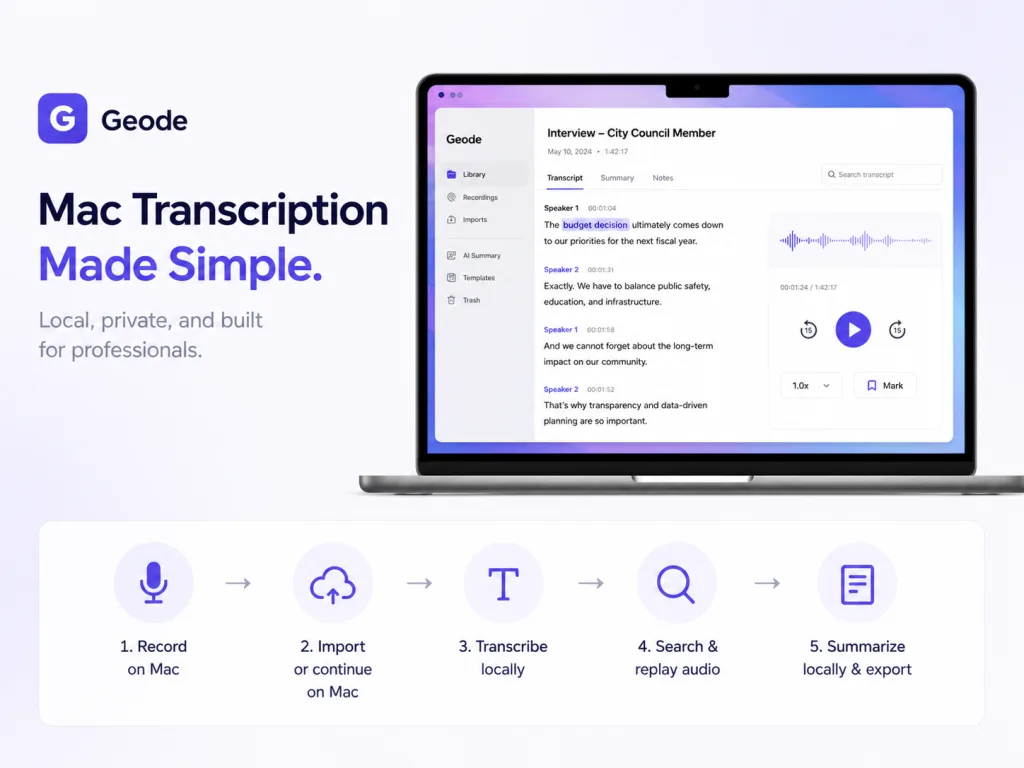
Geode is a cross-device transcription tool built for journalists, podcasters, researchers, and other professionals who want fewer setup decisions. Record on iPhone or iPad. Transcribe locally on Mac. Find the quote, replay the audio, and summarize on-device — all without API keys, cloud subscriptions, or separate platform licenses.
The Short Answer: When to Choose Each
Choose MacWhisper if you want a configurable Mac transcription product and you are comfortable managing models, providers, API keys, batch transcription, watch folders, dictation, and automation.
Choose Geode as your MacWhisper alternative if you want a simpler workflow for professional recordings — interviews, meetings, lectures, podcasts, client calls, research sessions, and sensitive conversations — without buying separate licenses for every device or configuring your own AI stack.
Geode vs MacWhisper: Side-by-Side Comparison
| Decision point | MacWhisper | Geode |
| How much setup do I need? | Better suited to users with technical background who are comfortable choosing models, providers, API keys, batch settings, watch folders, and automations. | Built for non-technical professionals who want fewer decisions: record, transcribe, search, replay, summarize on Mac, and export. |
| Do I need to pay separately for different devices? | MacWhisper’s direct-download license is for Mac. App Store and iOS paths are separate. | Geode’s $69.99 U.S. Lifetime plan covers eligible local features across iPhone, iPad, and Mac today, with Android and Windows planned. |
| Can I start on mobile and finish on Mac? | MacWhisper is strongest on Mac. Its iOS app exists, but Mac and iOS paths are separate. | Geode is designed for cross-device transcription: record on iPhone or iPad, then continue on Mac for speaker separation, local summaries, and deeper review. |
| What does the free plan really give me? | Free version is mainly for trying smaller, lower-accuracy local models. Higher-accuracy transcription and speaker separation require Pro. | Geode Free includes 5 hours/month local transcription, high-accuracy transcription, speaker separation on Mac, and local summaries on Mac. |
| Can I summarize locally? | MacWhisper does not directly provide built-in local summaries. Its summary workflow depends on Assistant, cloud, API providers, or user-configured local LLMs. | Geode includes built-in local AI summaries on Mac, with templates for interviews, meetings, podcasts, and notes. No API key or LLM setup required. |
| What happens with sensitive work? | Supports local transcription. But if you use Assistant or cloud summaries, the transcript may be sent to cloud services. | Supports both local transcription and local summaries on Mac. Sensitive work can stay local end-to-end. Cloud is optional, only when you choose it. |
Why Look for a MacWhisper Alternative?
Many transcription tools are powerful, but power often comes with setup. Here’s what professionals tell us they want from a MacWhisper alternative:
1. Less setup between recording and result
A capable local transcription app should not require you to decide which model to use, which version to buy, which provider to configure, whether to bring an API key, or whether your phone, tablet, and desktop are covered by the same purchase. Geode is designed to remove those decisions from the core workflow.
2. One purchase that follows your work across devices
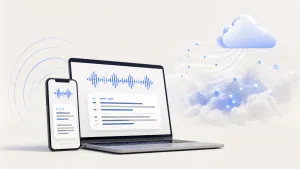
Real work rarely stays on one device. You might record a source interview on iPhone, review it later on Mac, and export the transcript for your editor or client. Geode’s pricing is built around cross-device transcription — one account across iPhone, iPad, and Mac today, with Android and Windows planned.
At the time of writing, MacWhisper Pro is $99.99 for a personal Mac license. Geode’s U.S. Lifetime is $69 .99 and covers iPhone, iPad, and Mac. The right question isn’t “which one-time price is lower?” — it’s “what does the purchase actually cover?”
3. A free plan that’s actually useful for real work
For many professional recordings, low-accuracy transcription is not enough. Interviews, lectures, podcasts, client calls, and research recordings often involve multiple speakers, long audio, and quotes that need to be checked carefully.
MacWhisper’s free version is mainly useful for trying smaller, lower-accuracy local models. Higher-accuracy transcription and speaker separation require the paid version. Without both, many real-world recordings can be hard to review, search, quote, or trust.
Geode Free is designed differently. It gives you 5 hours of local transcription every month and includes Geode’s local workflow features — high-accuracy local transcription, speaker separation on Mac, and local summaries on Mac with templates.
That means you can complete real work in the free plan: transcribe a long recording, separate speakers, review the transcript, generate a local summary, and decide whether Geode fits your workflow before paying.
Is Local Transcription Enough for Sensitive Work?
For sensitive work, local transcription matters. But the workflow usually doesn’t stop at transcription. After audio becomes text, professionals still need summaries, notes, action items, show notes, or draft material.
If the transcript has to be uploaded to a cloud AI service for that next step, the privacy benefit of local transcription becomes weaker. This is where a private transcription software that supports both local transcription and local summaries makes a real difference.
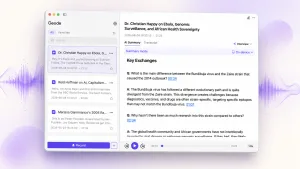
Geode supports both. On Mac, Geode includes local AI summaries with templates for different scenarios — interviews, meetings, podcasts, and professional notes. You can turn a recording into structured material without bringing an API key or configuring a separate local LLM. Sensitive work stays local from audio to transcript to summary.
Cloud processing is available only when you explicitly choose it for non-sensitive work.
When MacWhisper May Be the Better Choice
This guide isn’t here to claim Geode wins on every dimension. MacWhisper may be the better fit if you want:
• A Mac-focused transcription product
• Batch transcription of many files
• Watch folders that automatically process new files
• Dictation into text fields on Mac
• Automation through Zapier, Make, n8n, webhooks, or Obsidian
• Detailed control over models, providers, API keys, and advanced settings
If you enjoy configuring your transcription workflow and want deep Mac controls, MacWhisper is a strong product. If you’d rather skip the configuration and focus on the recording itself, Geode is built for that.
Try Geode as Your MacWhisper Alternative
If you want deep Mac controls and automation, MacWhisper is a strong transcription product. If you want fewer setup decisions, one account across devices, 5 hours of free local transcription every month, and built-in local summaries on Mac, Geode may be the better MacWhisper alternative for your work.
Start with real recordings. Search the transcript. Replay the quote. Summarize locally on Mac. Export what you need.
Is Geode a MacWhisper alternative for journalists?
Yes. Geode works well as a MacWhisper alternative for interviews — particularly for journalists who need private transcription software that runs locally. Geode covers iPhone, iPad, and Mac under one purchase, includes built-in local summaries with interview templates on Mac, and processes audio on-device by default. It’s not a one-to-one replacement for every MacWhisper feature — MacWhisper is stronger for batch processing and automation — but for the journalist’s recording-to-quote workflow, Geode is built for it.
How does Geode’s Lifetime plan compare with MacWhisper’s Mac license?
MacWhisper Pro is $73.84 for a personal direct-download Mac license at the time of writing. Geode’s U.S. Lifetime price is $69.99 and covers eligible local features across iPhone, iPad, and Mac today, with Android and Windows planned. So the question isn’t only “which price is lower?” — it’s what each purchase actually covers. If you only need a Mac transcription tool, MacWhisper is compelling. If your work moves across devices, Geode’s cross-device transcription is built around the whole workflow.
Can I transcribe long interviews without an API key?
Yes. Geode is a fully local transcription app — no API key, no cloud subscription, and no separate LLM setup required. Local transcription runs on your iPhone, iPad, or Mac, and local summaries on Mac use built-in templates. You can transcribe long audio without API key or configuration. MacWhisper offers advanced AI/provider options, but those paths assume you’re comfortable configuring your own tools.
Which is better for sensitive work and offline transcription?
Geode is stronger if you want the sensitive workflow to stay local beyond transcription. Both apps support local transcription, but Geode also runs local AI transcription with templates for summaries on Mac, so sensitive work can stay local from audio to transcript to summary. MacWhisper supports local transcription, but its summary workflow often depends on Assistant or cloud services. For offline transcription for iPhone and Mac, Geode keeps the entire pipeline on-device.
Does Geode work for podcast transcription on Mac?
Yes. Private podcast transcription on Mac is one of Geode’s core use cases. You can import existing podcast recordings directly on Mac, transcribe them locally, search the transcript for specific moments, replay the original audio, and generate show notes or episode summaries using Geode’s local AI templates — all without uploading anything to the cloud.