
The best transcription software for windows for privacy is a tool that works locally by default and keeps cloud processing optional. Many professionals actively search for reliable transcription software for windows to handle sensitive meeting notes and client interviews securely without making cloud upload their default option. Tools like Geode focus on local transcription and data security by bringing professional-grade, device-based AI directly to your PC.
What is On-Device Transcription Software for Windows?
On-device transcription software for windows refers to applications that convert spoken audio into text entirely using your computer’s local hardware processor. Instead of forcing you to automatically route files to external databases, offline transcription software runs specialized speech-to-text models right on your machine. This architecture ensures that your voice recordings do not need to be uploaded for the core transcription task, allowing you to transcribe audio without internet dependencies once your models are ready.
Why Privacy-Centered Transcription Software for Windows Matters
When you handle proprietary business ideas, legal inquiries, or personal medical notes, data privacy becomes a top priority. Relying on cloud-first platforms introduces risks of data exposure, changing server privacy policies, and unauthorized AI training on your private conversation files. Using local transcription software for Windows can reduce unnecessary cloud exposure by processing files directly on your desktop.
What to Look for in Windows Transcription Software
When evaluating local-first applications for your Windows desktop environment, ensure the platform checks the following boxes:
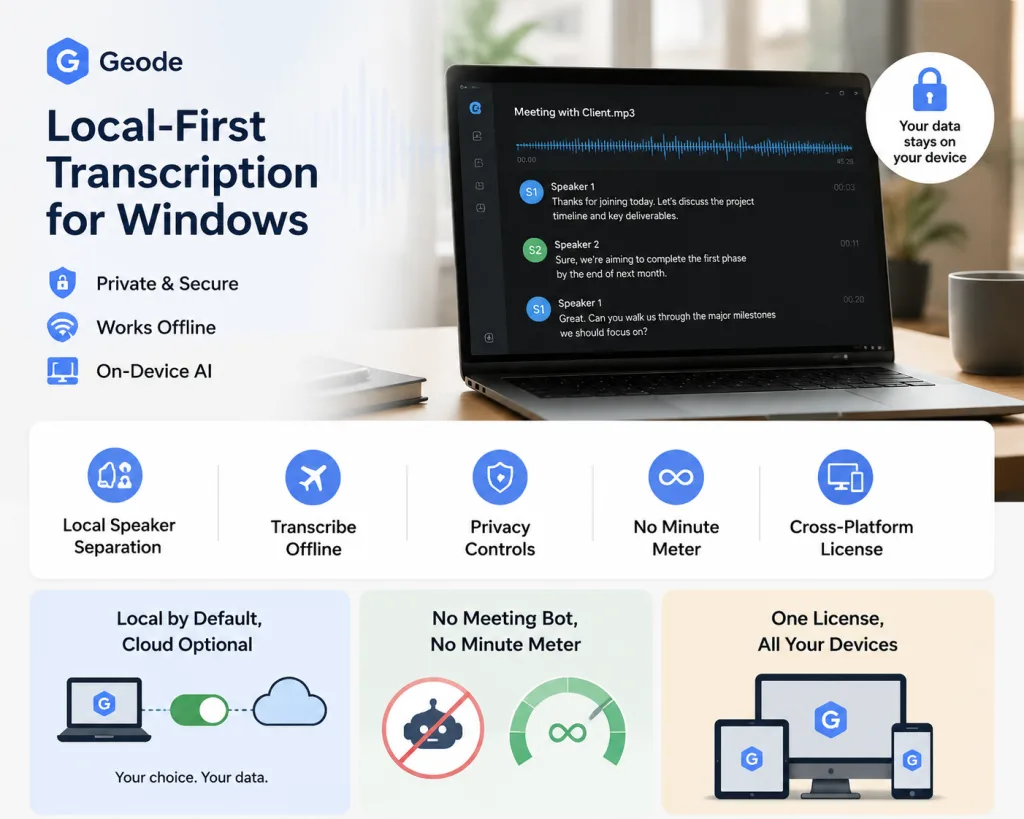
- Local Speaker Separation: Look for software that can distinguish between multiple speakers on your local hardware so your meeting notes remain organized without needing server assistance.
- Offline Support: The core engine must let you transcribe audio without internet availability so you can remain productive while traveling or in low-connectivity areas.
- Privacy Controls: You should always choose when to stay local and when optional cloud features are worth deploying.
- No Restrictive Minute Ticking: Paid local transcription should not be billed by the minute, meaning long recordings will not turn into a stressful ticking meter.
Key Advantages of Geode for Windows
Geode is not just another cloud AI notetaker. It provides a robust, local-first desktop transcription workflow engineered around three practical advantages:
- Local by Default, Cloud Optional: Transcription runs on-device automatically on Windows. While advanced features like AI summaries are cloud-powered on Windows (unlike Mac which supports local summaries), using the cloud is completely optional. You choose when to stay local and when to use cloud tasks.
- No Meeting Bot, No Local Minute Meter: Geode does not require a meeting bot to join your call for supported device-based capture. Furthermore, paid local transcription is not billed by the minute, allowing you to focus on the conversation rather than a usage limit.
- Unified Cross-Platform License: One single account works across your entire cross-device setup. One Lifetime purchase unlocks Geode’s local paid features across supported Windows, Mac, Android, and iPhone devices under the same account.
When Geode for Windows Is the Right Fit
Geode is optimized for specific professional use cases where data protection and deep review workflows take precedence:
- Confidential Client Conversations: Ideal for legal, financial, or medical consultations where uploading recordings to third-party databases is prohibited by policy or compliance standards.
- Journalistic Interviews and Research: Allows swift text extraction from hours of raw data with local speaker separation, paragraph building, and a dedicated review workspace.
- Long Audio and Video Imports: Perfect for indexing massive field recordings or recorded offline video panels where cloud-metered pricing would become cost-prohibitive.
Geode vs. Cloud-First Transcription Tools
| Feature Focus | Geode for Windows | Cloud-First Transcription Tools |
| Data path | Local transcription by default; cloud only when chosen | Audio is often uploaded for processing to third-party servers |
| Internet reliance | Local transcription can run offline once models are available | Usually requires a constant internet connection for transcription |
| Meeting workflow | No meeting bot required for supported device-based capture | Often built around external recording assistants or web workspaces |
| Review workflow | Search transcripts, replay timestamps, separate speakers locally | Often heavily focused on centralized sharing and cloud edits |
| Pricing | Paid local use is not billed by the minute; Lifetime option available | Usually subscription-based with strict monthly metered caps |
Conclusion
If you want to transition away from forced cloud pipelines, opting for an on-device architecture is a smart strategic step. Geode offers a seamless ecosystem across your desktop and mobile environments, making it a strong option for Windows users who want local-first transcription and deep long-recording review workflows.
Can I transcribe audio on Windows without an internet connection?
Yes. Geode can transcribe audio locally on Windows once the required language models are downloaded to your device. Internet connection may still be needed for initial app downloads, account sign-in, licence verification, and optional cloud features.
Does Geode upload my audio for Windows transcription?
For local transcription, your audio does not need to be uploaded to a cloud server. This significantly reduces unnecessary cloud exposure, while optional cloud features like summaries remain completely up to you.
Does Geode for Windows require a meeting bot?
No. Geode does not send a meeting bot into your call for supported device-based capture. You can easily record audio locally or import existing files, then review transcripts securely inside the desktop app.
Does Geode for Windows support local summaries?
No. Local AI summaries are currently available exclusively on Mac desktop clients. On Windows, Geode focuses on local transcription, speaker separation, search, timestamp replay, and desktop text review. Cloud summaries remain optional when you choose to activate them.
Is there a per-minute usage meter on Geode?
Paid local transcription is not billed by the minute, meaning long meeting files do not trigger a ticking time meter. Free tier basic limits and optional cloud features may follow alternative plan configurations.



