
Most AI transcription tools rely on cloud servers to convert speech into text. A recording is uploaded, processed remotely, and returned as a transcript.
However, a different approach has become increasingly popular: offline AI transcription.
Offline AI transcription allows speech recognition to happen directly on a device without requiring a continuous internet connection.
This approach can be useful for users who need more control over their recordings, work in areas with limited connectivity, or prefer a local processing workflow.
Throughout this guide, “offline,” “local,” and “on-device” refer to AI processing that happens directly on your device rather than on a remote server. The exact implementation may differ between products.
In this guide, we explain how offline AI transcription works, how it differs from cloud transcription, and how tools like Geode use local AI to process recordings.
What Is Offline AI Transcription?
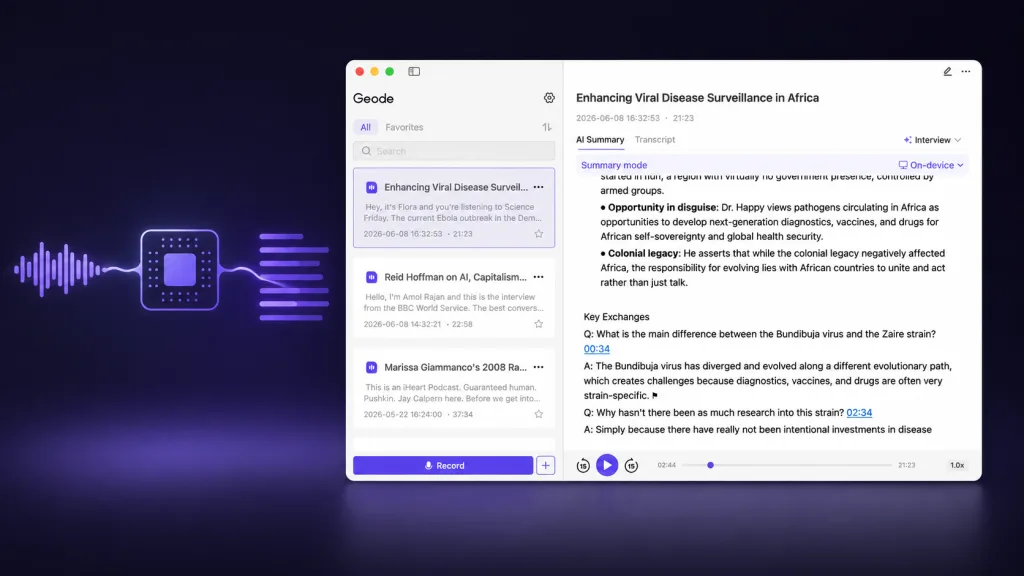
Offline AI transcription is the process of converting speech into text directly on a device without requiring a constant internet connection.
Instead of sending audio recordings to remote servers, the AI model runs locally on supported hardware.
A simplified workflow looks like this:
Audio Recording
↓
Local AI Speech Model
↓
Speech Recognition
↓
Text Transcript
The device performs the processing instead of relying completely on cloud infrastructure.
How Does AI Transcription Normally Work?
To understand offline transcription, it helps to first understand traditional cloud-based transcription.
A typical cloud workflow:
Audio Recording
↓
Upload to Server
↓
Cloud AI Processing
↓
Transcript Returned
The cloud model itself does not run on your device; it runs on remote servers after the upload is complete.
The cloud approach has advantages:
- Powerful server resources
- Easy access across devices
- No need to run AI models locally
However, it also means users depend on:
- Internet connection
- External processing systems
- Cloud data handling policies
How Does Offline AI Transcription Work?
Offline transcription uses AI models that are available directly on a device.
The process usually involves several steps.
Step 1: Speech Is Captured
The first step is recording audio.
The recording may come from:
- Microphones
- Voice recordings
- Imported audio files
- Video files
The quality of the original recording affects the transcription process.
Step 2: Local AI Models Process Audio
Instead of sending audio to a remote server, the device runs an AI speech recognition model locally.
The model analyzes:
- Audio patterns
- Speech characteristics
- Language information
and converts spoken words into text.
This process happens on the user’s device. The model performs inference locally using the device’s CPU, GPU, or AI accelerator, depending on the hardware.
Step 3: Speech Is Converted Into Text
The AI model identifies speech patterns and generates a transcript.
Depending on the software, the transcript may include:
- Text formatting
- Timestamps
- Search functionality
- Speaker separation
Step 4: Users Review and Organize Transcripts
After transcription, users can:
- Search transcripts
- Review important sections
- Create notes
- Generate summaries
This turns recordings into searchable information.
Offline Transcription vs Cloud Transcription
Both approaches have different advantages.
| Feature | Offline AI Transcription | Cloud Transcription |
| Processing location | Device | Remote servers |
| Internet dependency | Less dependent | Usually required |
| Data control | More local control | Depends on provider |
| Device requirements | Requires capable hardware | Uses cloud resources |
| Collaboration features | Varies | Often strong |
| Cloud cost | Often included locally | Depends on provider |
Neither approach is automatically better for every user.
The right choice depends on workflow requirements.
Why Do Users Choose Offline AI Transcription?
1. More Control Over Recordings
Some users work with conversations they prefer to keep under their own control.
Examples include:
- Research interviews
- Personal recordings
- Internal discussions
- Professional conversations
Local processing can provide an alternative approach to cloud-based workflows.
2. Working Without Reliable Internet
Offline transcription can be useful when internet access is limited.
Examples:
- Traveling
- Working remotely
- Recording in locations with unstable connectivity
Users can continue their workflow without depending entirely on network availability.
3. Reducing Cloud Dependency
Some users simply prefer having the option to process recordings locally instead of relying entirely on cloud services.
This is especially relevant as more people become aware of how AI applications handle personal data.
What Makes a Good Offline Transcription App?
Not every offline transcription tool provides the same experience.
Important factors include:
1. Device Compatibility
AI models require computing resources.
A good offline transcription app should clearly explain:
- Supported devices
- System requirements
- Processing capabilities
2. Transcription Features
Useful features may include:
- Searchable transcripts
- Timestamps
- Export options
- Speaker separation
- AI summaries
3. Language Support
Users working with international conversations should consider:
- Supported languages
- Translation capabilities
- Speech recognition quality
How Geode Uses Local AI Transcription
Geode is a local-first AI transcription app, with cloud AI options available when users need additional capabilities.
Instead of depending entirely on cloud transcription workflows, Geode helps users create transcripts directly within supported devices.
Geode supports workflows such as:
Audio and Video Transcription
Users can import recordings and convert conversations into searchable text.
Useful for:
- Meetings
- Interviews
- Lectures
- Personal recordings
Speaker Separation
Long conversations often include multiple speakers.
Geode supports local transcription with speaker separation on Mac and Windows. The feature helps organize different speakers within transcripts, making interviews, meetings, and long conversations easier to review.
This can be useful for:
- Interviews
- Discussions
- Meetings
AI Summaries
After transcription, users can create summaries to quickly review important information. On-device Smart Summaries are available on Mac; optional cloud summaries are available when users choose them on supported platforms.
This helps transform long recordings into more organized notes.
Searchable Transcripts
Instead of manually reviewing recordings, users can search transcript content to find relevant sections faster.
Conclusion
Offline AI transcription represents a different approach to converting speech into text.
Instead of relying entirely on cloud processing, local AI transcription runs speech recognition directly on supported devices.
For users who value local workflows, reduced internet dependency, and greater control over recordings, offline transcription can be an effective alternative to traditional cloud-based tools.
Geode provides a local-first transcription workflow with searchable transcripts, speaker separation on Mac and Windows, and AI summary options that vary by platform to help users organize conversations.
Does offline transcription work without internet?
Yes, offline transcription is designed to process speech on a device without requiring continuous internet access, depending on the software and supported device.
Does offline transcription use the internet at all?
It can. Internet access may be needed to download the app or models, verify a subscription, install updates, or use optional cloud features. Once the required model is available, local transcription can run without continuous internet access on supported devices.
Is offline AI transcription accurate?
Accuracy depends on factors including:
Audio quality
Language
Speaker clarity
AI model capability
Users should review important transcripts when accuracy is critical.
Is offline transcription more private?
Offline transcription can provide more local control because audio processing happens on the device. However, users should always review how each application handles data.
Can AI transcribe speech without internet?
Yes. Some AI transcription tools can process speech locally without requiring an internet connection.
What is the difference between offline transcription and on-device AI?
The terms are often related. Offline transcription refers to the ability to transcribe without internet, while on-device AI describes AI processing that happens directly on hardware such as a computer or phone.
Can offline transcription separate speakers?
Yes. Some offline AI transcription tools support speaker separation, which helps organize conversations with multiple speakers.
For example, Geode supports local transcription with speaker separation on Mac and Windows, allowing users to process recordings on their devices while separating different speakers within the transcript.
This can be useful for:
* Interview transcripts
* Meeting recordings
* Research conversations
* Multi-speaker discussions
Speaker separation helps make long conversations easier to review by organizing different parts of the transcript according to each speaker.



