
Many users who rely on Otter.ai for meeting notes eventually begin asking a different question: where is my audio actually processed?
As on-device AI becomes more practical on modern Macs and iPhones, some users are exploring local transcription workflows that reduce dependence on cloud transcription infrastructure. For users handling sensitive recordings, offline transcription and local AI processing can offer a very different experience from traditional cloud-based meeting tools.
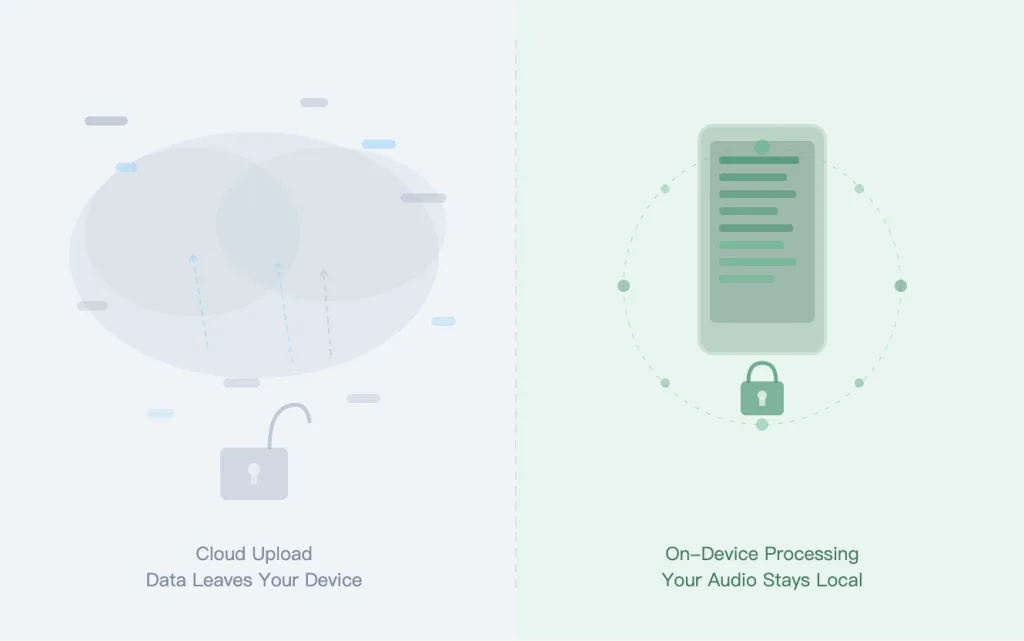
What Makes Cloud Transcription Different From On-Device AI?
Most AI meeting tools today rely heavily on cloud transcription. Audio recordings are uploaded, processed remotely, and returned as transcripts or summaries.
This workflow is common because cloud infrastructure makes collaboration easier across large teams. Otter.ai is one of the best-known examples of this model.
On-device AI transcription works differently.
Instead of depending entirely on remote servers, the transcription process runs locally on your own hardware. Modern Apple Silicon devices now make local transcription workflows practical for many everyday recording tasks.
This shift is changing how users think about privacy, offline access, and long-form recording workflows.
Users comparing different approaches to AI transcription can also explore our detailed Otter AI alternative comparison.
Why Some Otter.ai Users Want More Local Control
For many users, the issue is not whether cloud transcription works. The issue is how much control they want over sensitive recordings.
Cloud-based transcription workflows often involve:
- uploading audio externally
- relying on internet connectivity
- depending on third-party processing infrastructure
- storing transcripts in shared cloud systems
For casual meeting notes, this may not matter much.
But for professionals handling:
- research interviews
- confidential meetings
- legal conversations
- medical recordings
- unreleased business discussions
local transcription workflows can feel more predictable and easier to manage.
This is one reason why many users searching for an Otter.ai alternative are now specifically looking for offline transcription support and private transcription workflows.
How Offline Transcription Changes the Workflow
Offline transcription is not only about privacy. It also changes how transcription fits into daily work.
With cloud-only workflows, every recording depends on:
- server availability
- upload speed
- internet access
- cloud processing queues
With local-first workflows, transcription can happen directly on-device.
This creates several practical advantages:
More Flexible Recording Environments
Users can continue working while traveling, during unstable internet access, or inside restricted environments.
Some local transcription tools even support workflows that allow users to transcribe audio without internet using offline transcription workflows.
More Predictable Costs
Cloud transcription platforms often scale pricing with usage because cloud AI processing itself scales with usage.
Local AI transcription changes this dynamic by shifting more processing directly onto the user’s device.
For heavy users handling long recordings, podcasts, interviews, or multilingual audio, predictable workflows can become increasingly important.
Better Control Over Sensitive Audio
Users looking for more control over sensitive audio often prefer local or on-device transcription tools over cloud-only meeting assistants.
This does not automatically make cloud systems unsafe. But it does reduce how often recordings need to move through external processing pipelines.
Geode explains this broader approach in its guide to privacy-first transcription workflows.
When Local Transcription Makes More Sense Than Cloud AI
Cloud transcription still works very well for many teams.
If your workflow depends heavily on:
- shared collaboration
- cloud syncing
- browser-based meeting tools
- centralized team workspaces
then cloud-first systems may still be the best fit.
But local transcription workflows often make more sense when users need:
- offline transcription
- long-form recording support
- more control over sensitive recordings
- multilingual local transcription
- transcription outside standard meeting bots
- predictable transcription workflows
This is especially true for users recording:
- interviews
- podcasts
- field conversations
- research sessions
- lectures
- imported audio or video files
Many of these workflows do not fit neatly inside traditional cloud meeting assistants.
Should You Switch From Cloud-Based Meeting Tools?
Not necessarily.
The better question is whether your workflow benefits from local AI processing.
For many users, cloud-based meeting tools remain convenient and collaborative.
But as local AI models improve, more users are beginning to treat on-device transcription as a practical alternative rather than a niche feature.
That shift is why tools like Geode’s local AI transcription app are focusing on local-first workflows by default while still allowing optional cloud transcription when users explicitly choose it.
Conclusion
Otter.ai helped popularize AI meeting transcription for cloud collaboration workflows.
But today, many users are starting to prioritize different things:
- offline transcription
- local AI processing
- private transcription workflows
- predictable usage
- more control over sensitive recordings
As modern devices become more powerful, on-device AI transcription is becoming practical for far more users than before.
For users exploring alternatives to cloud-only workflows, local-first transcription is increasingly becoming part of the conversation.
Last reviewed: September 2026
Does Otter.ai work offline?
Otter.ai primarily relies on cloud transcription infrastructure and internet-connected workflows.
What is on-device AI transcription?
On-device AI transcription processes audio locally on your computer or phone instead of sending recordings to external cloud servers.
Why do users prefer offline transcription?
Many users prefer offline transcription for better privacy, local control over recordings, and workflows that do not depend entirely on cloud processing.
Can I transcribe audio without internet?
Yes. Some local transcription tools support offline transcription workflows on supported devices.



