
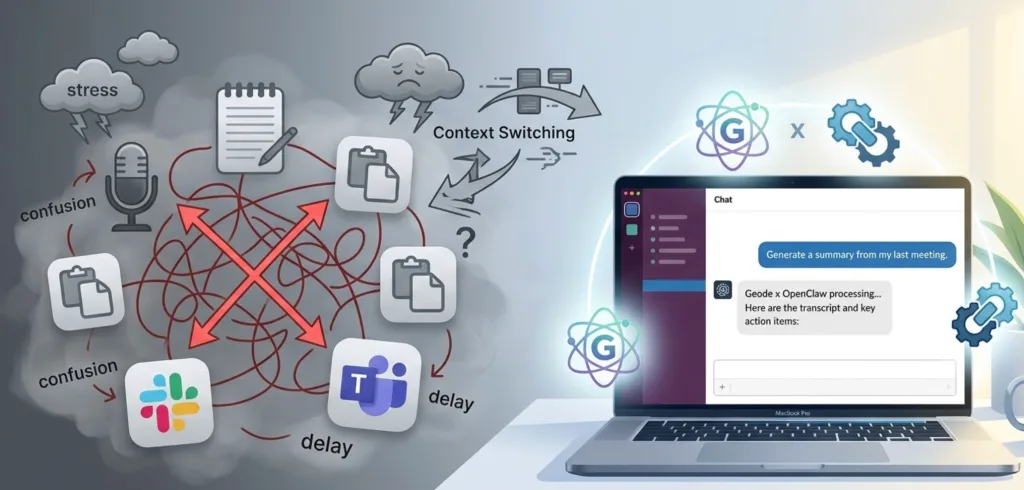
The best meeting summary automation tools let you generate transcripts, summaries, and action items directly inside Slack or Microsoft Teams without constantly switching between apps.
Many teams search for meeting summary automation because traditional workflows are slow and fragmented. Recordings live in one app, transcripts in another, and summaries somewhere else entirely.
Tools like Geode and OpenClaw simplify this workflow by combining local AI transcription on Mac with chat-based automation inside Slack or Teams.
OpenClaw connects your chat tools* (like Slack or Teams) with the local AI running on your Mac.
Geode handles recording, transcription, and summarization on-device.
OpenClaw lets you access those results using simple commands — without jumping between apps in most workflows.
Instead of exporting and reformatting content manually, you just ask for what you need.
*support varies by client and workspace setup
2 Practical Ways to Automate Meeting Workflows
1. Trigger Transcription Without Leaving Chat
You don’t need to upload files or switch tools to start a transcript.
Example command:
@OpenClaw Transcribe the recording from this morning’s product sync.
What happens:
Geode processes the audio locally and returns a transcript once it’s ready. Processing time may vary depending on file size and device performance.
Why it matters:
You keep everything in one place — no uploads, no extra steps.
2. Generate Meeting Summaries and Action Items
Instead of manually reviewing transcripts, you can extract what matters right away.
Example command:
@OpenClaw Extract my action items from the Q3 planning meeting and share the summary in #marketing.
What happens:
Geode analyzes the transcript and identifies key points and tasks.
OpenClaw formats and delivers them to the right place.
Why it matters:
This is where meeting summary automation actually saves time — especially for recurring team syncs.
Why Local Processing Changes the Workflow
Many AI tools rely on cloud processing. That often means uploading recordings before you can do anything with them.
Geode takes a different approach.
By default, audio and video files are processed locally on your device and are not uploaded for AI processing.
Network access may still be used for things like subscription verification or optional diagnostics, but meeting content stays on your machine.
OpenClaw acts as the bridge — delivering only the results you request back into your chat tools.
This setup gives you automation without adding extra data exposure.
Get Started
If you’re already using Slack or Teams daily, adding meeting summary automation doesn’t need to mean adding another tool to your stack.
With Geode and OpenClaw, you can keep your workflow where it already happens — and let AI handle the repetitive parts in the background.
What is meeting summary automation?
Meeting summary automation uses AI to generate transcripts, summaries, and action items automatically after meetings.
Can AI generate meeting notes inside Slack or Teams?
Yes. Tools like OpenClaw can trigger meeting transcription and summary workflows directly inside Slack or Microsoft Teams.
Does Geode support local transcription?
Yes. Geode supports local transcription workflows on Mac using on-device AI processing.
Can Geode summarize meetings locally?
Yes. On Mac, Geode supports local AI summaries without requiring cloud processing.
Why do teams prefer local meeting transcription?
Local meeting transcription keeps recordings on-device and reduces dependence on external cloud processing.



