Therapists increasingly need privacy-conscious transcription workflows that help organize session notes without unnecessarily uploading sensitive conversations to external cloud systems.
Many clinicians evaluating transcription tools for HIPAA-regulated settings are looking for ways to improve documentation efficiency while maintaining stronger control over confidential patient information.
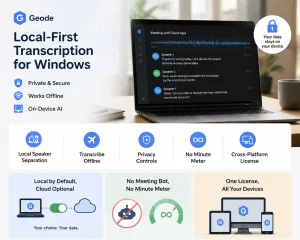
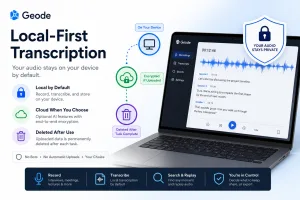
Tools like Geode use local AI transcription and on-device workflows to support private session note organization without relying entirely on cloud-based AI processing.
Geode does not currently offer a Business Associate Agreement, or BAA, and is not marketed as HIPAA-compliant. Healthcare users should use Geode only if local processing fits their organization’s compliance program, recording policies, consent requirements, and data retention rules.
This article is written for operational clarity, not legal or clinical advice. Mental health professionals should review documentation and technology decisions with their legal, ethical, and compliance advisors where appropriate.
⸻
Transcription for Therapists Is Not Just a Productivity Tool
Transcription for therapists is not just a reminder system or productivity shortcut.
Therapy session notes and recordings may contain deeply sensitive material:
- Clinical observations
- Patient narratives
- Diagnostic hypotheses
- Treatment plans
- Context that may fall under HIPAA or equivalent privacy frameworks
As AI scribe tools and summarization workflows become more common in clinical settings, a practical question arises for clinicians who want privacy-conscious session documentation:
How can therapists organize session notes efficiently without introducing unnecessary cloud exposure?
This article outlines a non-cloud-dependent approach to session note workflows for HIPAA-regulated environments, focusing on architectural decisions rather than product compliance claims.
⸻
Why Note-Taking Architecture Matters in Mental Health Practice
Many discussions around AI note-taking focus on surface-level features:
- Accuracy
- Speed
- Convenience
- Automation
In mental health contexts, those questions come after a more fundamental one:
Where does patient information go while it is being processed?
Any workflow that requires audio or notes to leave the practitioner’s controlled environment introduces:
- Additional access surfaces
- Contractual dependencies
- Configuration and consent complexity
- Long-term exposure as records accumulate
For clinicians bound by confidentiality duties, ethical standards, and regulatory requirements, these architectural considerations often matter more than feature comparisons—particularly when evaluating mental health documentation security in HIPAA regulated environments.
This architectural emphasis is consistent with the APA Ethics Code, which underscores a psychologist’s responsibility to take reasonable precautions to protect confidential information and to consider how the methods and technologies used in practice affect privacy and confidentiality obligations.
While the Ethics Code does not prescribe specific tools, it places the burden on clinicians to assess whether their documentation workflows align with ethical duties to safeguard client information across its full lifecycle.
For readers seeking a technical overview of how cloud-based and on-device processing differ, see:
Otter.ai vs Geode: Why Architecture Matters When Choosing an Otter Alternative
⸻
Step 1: Clarify What Needs to Be Captured—and What Does Not
Not every therapy session requires verbatim transcription.
Before introducing any technology, therapists should clarify whether a workflow truly supports their documentation, consent, and privacy requirements:
- Are notes meant to support recall, or serve as part of the clinical record?
- Is full-session capture necessary, or are structured summaries sufficient?
- Who, if anyone, needs access beyond the primary clinician?
In many practices:
- Real-time sharing is unnecessary
- Collaboration is limited or nonexistent
- The priority is accurate documentation with minimal exposure
Defining this boundary early prevents over-collection and simplifies downstream decisions for secure clinical documentation.
⸻
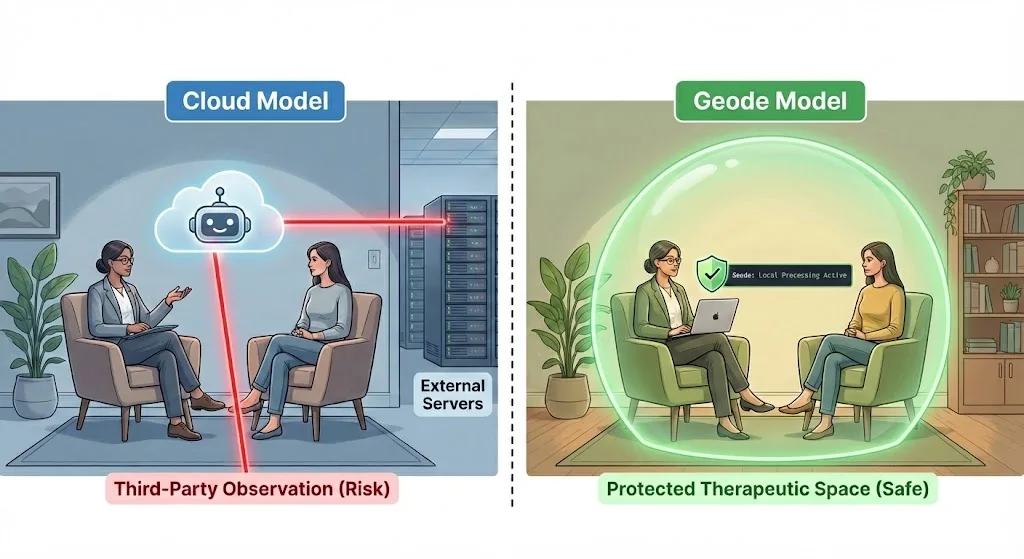
Step 2: Avoid Introducing External Participants or Bots
A common risk in modern note-taking workflows is the use of third-party “assistants” that join sessions as participants.
From a clinical and ethical perspective, this introduces several complications:
- Expanded access surfaces
- Ambiguity around who technically “received” patient information
- Additional consent and disclosure considerations
In some jurisdictions or ethical frameworks, the visible presence of an automated third party can complicate informed consent and disrupt the therapeutic alliance.
A safer pattern is:
- Record locally
- Capture system audio when necessary for telehealth sessions
- Avoid any external participant joining the session
This keeps sensitive mental health data contained while supporting non-cloud clinical notes by design.
⸻
Step 3: Process Notes Where Clinical Control Is Strongest
Once audio or session material is captured, the next question is where processing occurs.
Cloud-based workflows typically involve:
- Uploading session audio
- Processing in provider-controlled environments
- Storing transcripts or summaries externally
A non-cloud-dependent workflow keeps the process local:
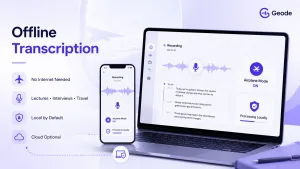
- On-device transcription runs on the clinician’s own device
- Summaries and structured notes are generated locally using a local AI note system
- No external processing pipeline is required
This is the practical foundation of a privacy-conscious transcription workflow: sensitive session content and derived notes can remain confined to the clinician’s hardware rather than distributed across external systems.
This shifts the core question from:
“Who is allowed to access the data?”
to:
“Where is processing physically possible?”
This aligns with the HHS Security Rule’s focus on technical safeguards, which requires covered entities to ensure the confidentiality and integrity of ePHI through controls commensurate with the associated risk.
In mental health contexts, that distinction can be important for maintaining stronger control over session notes and reducing unnecessary cloud exposure.
⸻
Step 4: Separate Capture From Review (macOS and iPhone Roles)
Many clinicians move between devices during the day. Clear role separation reduces confusion and risk.
A common pattern:
Mac (primary processing environment):
- Full transcription
- Locally generated transcripts with optional AI summaries, intended to support clinician review—not diagnostic documentation
- Local storage and review
iPhone (companion device):
- Secure recording
- Quick playback or reference
- Lightweight transcription for personal recall
- No diagnostic analysis or synthesis
Keeping heavier AI processing on macOS aligns compute power with stronger local control and reinforces on-device transcription practices.
⸻
Step 5: Draft and Store Notes Without Reintroducing Exposure
The final risk often appears after transcription is complete.
Common pitfalls include:
- Automatic syncing to cloud storage
- Default sharing settings
- Background backups to third-party services
A safer approach emphasizes:
- Draft notes locally
- Explicit export actions
- Deliberate, documented sharing decisions
This prevents a common failure mode: capturing data safely, then unintentionally reintroducing exposure during documentation—especially in non-cloud clinical notes workflows.
⸻
When Cloud-Based Tools May Still Be Appropriate
This is not an argument that cloud tools are universally inappropriate.
Cloud-based workflows may be suitable when:
- Multi-provider collaboration is essential
- Records must be centrally managed
- Governance, consent, and oversight are mature and explicit
The key is intentional alignment—choosing architectures that match clinical, ethical, and regulatory realities.
⸻
The Core Principle: Architecture Before Automation
The safest documentation workflows are not defined by automation level.
They are defined by constraints:
- Where patient data can physically exist
- Where processing can occur
- Who must be trusted for the workflow to function
By designing session note workflows around local processing, explicit consent practices, and privacy-conscious controls, mental health professionals can reduce:
- External access assumptions
- Consent complexity
- Long-term exposure as records accumulate
The result is not just efficiency—but defensibility.
⸻
A Quiet Next Step
If you are evaluating transcription tools for HIPAA-regulated therapy workflows and want to avoid unnecessary cloud processing, it may be useful to explore how fully on-device approaches work in practice.
[Download Geode for Mac] to experience on-device meeting transcription and summaries designed for confidentiality-sensitive professional work.
[Download: The Privacy-Conscious Session Note Checklist (PDF)]
By Geode Data Privacy Research Team
Is Geode HIPAA-Compliant?
Geode does not currently offer a Business Associate Agreement, or BAA, and is not marketed as HIPAA-compliant.
Geode is built for local-first sensitive workflows. Local recordings, transcripts, and summaries can stay on the user’s device when processed locally. Healthcare users should evaluate whether that workflow fits their organization’s HIPAA compliance program, consent requirements, recording policies, and data retention rules.
What is HIPAA-conscious transcription for therapists?
HIPAA-conscious transcription for therapists means using a documentation workflow that considers privacy, consent, access control, data retention, and where patient information is processed. It does not automatically mean a tool is HIPAA-compliant. For therapy session notes, clinicians should evaluate whether audio, transcripts, and summaries stay local or are sent to external cloud systems.
Can therapists use local transcription for session notes?
Yes. Therapists can use local transcription to support session note review, recall, and documentation workflows when it fits their practice policies and consent requirements. Local transcription can reduce unnecessary cloud exposure by processing audio on the clinician’s own device rather than sending recordings to an external AI transcription service.
Why does on-device transcription matter for therapy notes?
On-device transcription matters because therapy sessions often include sensitive information, such as patient narratives, clinical observations, treatment plans, and diagnostic context. Processing audio locally can help reduce external access surfaces and give clinicians stronger control over where session content and derived notes are stored.
What is the difference between cloud AI scribes and local transcription?
Cloud AI scribes usually send audio, transcripts, or summaries to provider-controlled servers for processing. Local transcription processes audio on the clinician’s own device when used in local mode. For sensitive therapy workflows, the key difference is where patient information goes while it is being processed and who must be trusted for the workflow to function.