Transcribing one recording is easy.
Transcribing something every day is a different problem.
A meeting in the morning, an interview after lunch, a voice note on the way home, and a lecture or podcast you want to keep can quickly turn transcription from an occasional task into part of your daily workflow.
At that point, choosing a daily transcription app is about more than accuracy. How quickly you can capture something, whether transcription gets more expensive as your recordings add up, where your audio is processed, and how easily you can move from recording to review all start to matter.
The best daily transcription app is not necessarily the one with the longest feature list. It is the one whose workflow still makes sense after the hundredth recording.
Here are four different approaches.
Best Daily Transcription Apps at a Glance
| App | Best for | Workflow | What stands out for daily use |
| Geode | Mixed recordings across mobile and desktop | Record or import -> transcribe -> review | Integrated local-first workflow across five platforms |
| MacWhisper | Mac power users | Import or capture -> configure -> transcribe | Deep transcription controls, batch tools and automation |
| Otter.ai | Meeting-heavy workdays | Meeting -> automatic notes -> collaboration | Strong meeting automation and team workflow |
| Plaud | People who want a dedicated recorder | Hardware capture -> app -> AI processing | Very low friction for capturing conversations throughout the day |
These products overlap, but they are built around different assumptions about where recordings come from and what happens after they are captured.
1. Geode – Best for a Daily Recording-to-Review Workflow
Geode is built around recordings rather than one particular type of meeting.
You can use it for meetings, interviews, lectures, voice notes, research conversations, podcasts, field recordings, and audio playing inside other apps. Existing audio and video can also be imported for transcription.
Record or import -> Transcribe -> Search and review -> Summarize when needed
That matters when recording becomes routine. Instead of assembling separate tools for capture, transcription, speaker separation, review, and summaries, the main workflow is already built into the app.
Geode transcribes locally by default on supported devices in 90+ languages. On desktop, recordings can be reviewed with speaker separation, transcript search, editing, and timestamp-based playback. On supported Macs, Smart Summaries can also run locally on-device.
Cloud transcription and cloud summaries are available when you choose them, rather than being required for the core local workflow.
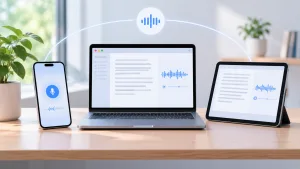
Geode also treats mobile capture and desktop review as parts of the same system. You can record something on a phone, transfer it to your computer over local Wi-Fi, and continue working there without uploading the recording to cloud storage just to move between devices.
One paid account works across iPhone, iPad, Mac, Android, and Windows.
For people who record frequently, the economics are also different from a minute-based cloud service. Geode’s paid plans include unlimited local transcription, so processing another local recording does not consume another block of paid transcription minutes.
Best for: Journalists, researchers, consultants, students, creators, and people whose recordings come from different situations and devices throughout the day.
Why it works for daily use: Capture, local transcription, review, speaker separation, and summaries can stay in one cross-device workflow without requiring cloud processing or per-minute local transcription billing.
2. MacWhisper – Best for a Configurable Mac Transcription Workflow
MacWhisper takes a different approach.
It gives Mac users extensive control over how transcription works. You can choose transcription models, process audio and video files locally, record meetings and app audio, use speaker recognition, run batch transcription, monitor folders, export in multiple formats, and connect transcription to more advanced automated workflows.
For people who process large numbers of files on a Mac, those controls can be valuable.
Batch transcription and watched folders, for example, can reduce repetitive work when new recordings arrive regularly. Advanced users can also build workflows around external AI providers, local models, webhooks, and other integrations.
The difference from Geode is less about whether either product can produce a good transcript and more about how much of the workflow you want to configure yourself.
MacWhisper is a strong transcription environment for users who want control over models, settings, automation, and downstream tools.
Geode takes more of an integrated approach: recording, transcription, speaker separation, search, editing, timestamp replay, and summaries are designed as one recording-to-review workflow, with less setup required.
That makes the choice fairly straightforward.
If you want to configure your transcription workflow, MacWhisper gives you more knobs to turn. If you want more of the workflow already assembled, Geode takes a simpler approach.
Best for: Mac power users, journalists, podcasters, video workflows, and people processing many existing audio or video files.
Why it works for daily use: Strong local processing, batch tools, watched folders, automation, and extensive configuration make repeated Mac transcription efficient.
3. Otter.ai – Best When Your Daily Recordings Are Mostly Meetings
For some people, recording every day really means attending meetings every day.
That is where Otter makes the most sense.
Otter is built around a meeting-centered workflow. It can automatically capture supported meetings, generate transcripts and AI meeting notes, identify speakers, surface key points, and keep the results in a shared cloud workspace.
Meeting -> Transcript -> AI notes -> Share and collaborate
If your workday is a sequence of scheduled calls, that automation is useful.
This is also where Otter and Geode differ most clearly.
Otter is designed around meetings. Geode is designed around recordings.
If your day is mostly Zoom, Teams, or Google Meet calls that need automatic notes and collaboration, Otter’s meeting-centered workflow is a strength.
If your day produces recordings from many different places – an interview, a lecture, a voice note, an in-person conversation, a podcast, a meeting, or imported audio – a recording-first workflow is more flexible.
The processing and pricing models are also different. Otter is a cloud service with usage allowances that vary by plan. Geode performs supported transcription locally and includes unlimited local transcription on paid plans.
That difference may be minor for occasional transcription. It becomes more noticeable when several hours of new audio arrive every day.
Best for: Professionals and teams whose recurring transcription workflow consists mainly of scheduled meetings.
Why it works for daily use: Meeting automation, automatic notes, and collaboration reduce the work between one meeting and the next.
4. Plaud – Best When You Want a Dedicated Recorder With You
Plaud starts from a different question:
What if the easiest way to record every day is to carry a device designed specifically for recording?
Its hardware is built to stay with you through meetings, calls, interviews, and other conversations. Instead of opening an app and setting up a recording, a physical control makes capture immediately available.
For people who move between conversations all day, that can be a meaningful advantage.
Dedicated recorder -> Capture -> App -> Transcription and AI notes
Geode is software-first:
Phone or computer -> Capture or import -> Local transcription -> Review
Neither approach is inherently better.
If the main problem is making sure important conversations actually get recorded, dedicated hardware can remove friction. Plaud is particularly attractive to people who want a recorder they can keep within reach throughout the day.
If you prefer to use devices you already carry and want recording, transcription, and review to work across phone and computer without adding another piece of hardware, Geode takes the other approach.
Plaud’s transcription and AI features also sit within a service plan, so frequent users should consider both the hardware and the ongoing transcription allowance when comparing costs.
Best for: Professionals who move between in-person conversations and calls and want a dedicated recording device always within reach.
Why it works for daily use: Hardware-first capture minimizes the gap between deciding something is worth recording and actually recording it.
When Recording Becomes Daily, Four Things Change
The differences between transcription apps become clearer with repeated use.
A feature that barely matters for one recording can become important when you create new recordings every day.
1. Capture Friction Compounds
A few extra steps do not matter much once.
They matter when you repeat them five or ten times a day.
That is why these products solve capture in different ways.
Otter reduces friction by automating scheduled meetings. Plaud uses dedicated hardware. MacWhisper integrates deeply into a Mac workflow. Geode lets you capture across mobile and desktop while also accepting existing recordings and audio from other sources.
The best everyday recording app is therefore not simply the one with the fastest record button.
It is the one whose capture model matches where your recordings actually happen.
For someone who spends all day in online meetings, automation may matter most. For someone moving between interviews, lectures, calls, meetings, and field recordings, flexibility matters more.
2. Per-Minute Economics Start to Matter
Usage limits can be almost invisible when you transcribe occasionally.
Daily recording changes the calculation.
An hour-long interview, two meetings, and a lecture can produce several hours of audio in a single day. Over a month, even moderate daily use can become a large volume of transcription.
Cloud transcription usually requires server resources for every additional minute, so service plans often include transcription allowances, recording limits, or higher tiers for heavier use.
Local transcription changes that relationship.
Once speech recognition runs on your own computer or phone, another hour of local transcription does not require another hour of server processing.
This is why Geode’s paid plans include unlimited local transcription. MacWhisper similarly makes local processing central to its Mac workflow.
That does not automatically make local transcription better than cloud transcription. Cloud services can provide valuable automation, collaboration, and centralized workflows.
But if you record every day, ask a simple question:
What happens to the cost when my transcription volume doubles?
The answer matters more than it does for an occasional user.
3. Your Archive Becomes Part of the Workflow
After ten recordings, finding something is easy.
After hundreds, it becomes a different problem.
Daily voice recording transcription creates an archive of meetings, interviews, lectures, ideas, client conversations, and other material. The value of that archive depends on whether you can return to it later.
You may remember that someone mentioned a company during an interview, that a professor explained a concept in one lecture, or that a client made a particular request – but not which recording contained it.
This is why transcription is only one part of a recurring transcription workflow.
Search, speaker separation, timestamps, editing, summaries, and access to the original audio become increasingly important as the number of recordings grows.
A transcript should not just exist.
It should make the original recording easier to use.
4. One Device Is Rarely Enough
Daily recording tends to cross device boundaries.
You may record an interview on a phone, attend a meeting on a laptop, import a podcast, capture a lecture away from your desk, and review all of them later on a larger screen.
This makes the relationship between mobile and desktop important.
Plaud solves the capture side with dedicated hardware. Otter keeps the workflow in a cloud account. MacWhisper provides a deep Mac environment, with mobile transcription handled through a separate product path.
Geode uses one paid account across iPhone, iPad, Mac, Android, and Windows.
That allows mobile and desktop to play different roles in the same workflow:
Capture where the conversation happens -> Review where deeper work is easier
A recording made on mobile can be transferred over local Wi-Fi and continued on desktop for higher-accuracy transcription, speaker separation, editing, search, and summaries.
When recording is something you do every day, that handoff matters more than whether every device has exactly the same feature set.
What Should You Look for in a Daily Transcription App?
Can it capture what you actually record?
Do not assume every recording is a meeting.
Think about interviews, lectures, phone conversations, voice notes, podcasts, app audio, imported files, and in-person conversations.
A meeting-first tool and a recording-first tool can both transcribe speech, but they solve different daily problems.
What happens as your volume grows?
Look beyond the entry price.
Check transcription allowances, recording limits, file limits, cloud storage, hardware requirements, and whether heavier usage changes what you pay.
If you regularly record hours rather than minutes, this can matter more than a small difference in transcription features.
How much configuration do you want?
Some users want control over models, providers, exports, automation, and every step of the pipeline.
Others want to record something and move directly into a usable transcript.
Neither approach is wrong.
MacWhisper is particularly strong for users who want to configure a powerful Mac transcription environment. Geode deliberately integrates more of the recording-to-review workflow.
Where should processing happen?
Cloud processing is useful for collaboration, centralized access, and server-side AI.
Local processing can work offline and lets supported recordings become text without first uploading them to a transcription service.
If you record every day, this decision applies not to one file but potentially to hundreds of them.
Can you find something again months later?
As the archive grows, search and review become part of the product.
Look for searchable transcripts, speaker separation, timestamps, access to the original audio, editing, and summaries that help you navigate longer recordings.
Which Daily Transcription App Should You Choose?
Choose MacWhisper if you work primarily on a Mac and want a configurable transcription environment with local models, batch processing, watched folders, automation, and extensive control.
Choose Otter.ai if most of your daily recordings are scheduled meetings and automatic meeting notes, sharing, and team collaboration are the priority.
Choose Plaud if capture friction is your biggest problem and you want dedicated hardware that is always ready to record.
Choose Geode if your day produces a mixture of meetings, interviews, lectures, voice notes, app audio, and other recordings across different devices – and you want an integrated recording-to-review workflow with local transcription by default and unlimited local transcription on a paid plan.
For occasional transcription, almost any capable app can work.
For daily transcription, choose the workflow you will still want to use after the hundredth recording.
What is the best daily transcription app?
It depends on what you record every day.
Geode is designed for a mixed recording workflow across meetings, interviews, lectures, voice notes, app audio, and imported recordings. MacWhisper is particularly strong for configurable Mac transcription, Otter for recurring meetings, and Plaud for hardware-first everyday capture.
Can I transcribe recordings every day without paying by the minute?
Yes. Some transcription apps process speech locally rather than charging for every minute processed on remote servers.
Geode’s paid plans include unlimited local transcription. MacWhisper also makes local transcription central to its Mac workflow. Cloud-based products may use transcription allowances or plan-based limits.
What is the difference between a recording app and a transcription app?
A recording app primarily captures and stores audio. A transcription app converts speech into searchable text.
Some products combine the two. Geode, for example, brings recording, transcription, speaker separation, review, and summaries into the same workflow.
Is local transcription useful for everyday recording?
It can be particularly useful for frequent recording.
Local transcription lets supported recordings be processed on your own device without first uploading them to a transcription server. It can also work offline and makes the cost of additional local transcription less dependent on the number of minutes processed.
Cloud processing remains useful when collaboration, centralized access, or cloud AI features are more important.
What features matter most for a recurring transcription workflow?
Reliable capture, predictable costs at higher volume, searchable transcripts, speaker separation for multi-person recordings, timestamped access to the original audio, and a practical way to move between capture and review all become more important as recording volume grows.
Can I use one transcription workflow across my phone and computer?
It depends on the product.
Geode uses one paid account across iPhone, iPad, Mac, Android, and Windows. Recordings can be captured on mobile and transferred over local Wi-Fi for deeper desktop review.
Other products take different approaches, including cloud workspaces, dedicated recording hardware, or desktop-centered workflows.