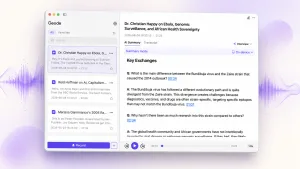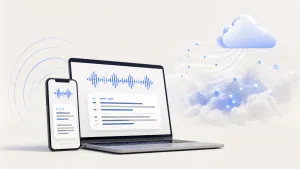
The best interview transcription app for long interviews is the one that helps you find and verify usable material, not just convert audio to text. If you search for the best interview transcription app, you likely need searchable transcripts, timestamp replay, speaker labels, and a clear path from recording to notes or draft material. Geode is built for that interview workflow: record in the field on iPhone or iPad and send the recording to Mac over local Wi-Fi, or import existing files directly on Mac.
What Is an Interview Transcription App?
An interview transcription app converts spoken interviews into readable text. For casual use, a transcript may be enough. For serious interview work, the app needs to support the whole path from raw recording to verified material: transcript, speaker labels, timestamps, search, playback, summary, notes, and export.
This matters because interview-heavy users are not always sitting at a desk. A freelance writer may record a source on an iPhone. A documentary researcher may collect two hours of location audio. A podcast producer may review a guest conversation after the recording. A content researcher may need one quote from a long discussion, not a generic meeting summary. That is why the best interview transcription app should be judged by workflow, not only by word accuracy.
Why Long Interviews Need More Than a Transcript
Long interview audio creates a different problem from normal meeting notes. The user does not just need a summary. They need to find a specific moment, replay it, verify the exact wording, and use that verified quote in a draft, script, report, documentary outline, or podcast notes.
- Finding a quote in a 90-minute recording is slow if the transcript is not searchable.
- Using a quote is risky if the user cannot replay the original audio at the exact timestamp.
- Speaker labels matter when the material includes multiple interviewees, hosts, or guests.
- Sensitive interviews should not be uploaded to the cloud by default.
- Long recordings can become expensive when a tool charges by the minute.
Best Interview Transcription App Options for 2026
There are several good tools for interview transcription. The right choice depends on whether the user wants a cloud meeting assistant, a human transcription service, a Mac-first local tool, or a cross-device interview workflow. The table below uses official product pages as reference points and focuses on what matters for long interview work.
| Tool | Official reference | Best for | Main limitation for interview work |
| Geode | Geode | Local-first interview workflow across iPhone, iPad, and Mac | Best fit for users who want a local-first workflow; teams needing advanced cloud collaboration may prefer cloud-first newsroom tools. |
| Otter | Otter.ai | Cloud meeting notes, collaboration, and searchable transcripts | Strong for meetings, but not ideal when sensitive field audio should stay local by default. |
| Trint | Trint | Newsroom-style transcription, editing, sharing, and collaboration | Powerful media workflow, but usually cloud-centered and more team/workspace oriented. |
| Descript | Descript | Podcast editing, clips, show notes, and text-based audio/video editing | Excellent production tool, but heavier than needed for users who mostly need quote review and local workflow. |
| MacWhisper | MacWhisper | Local transcription on Mac | Strong on Mac, but less centered on a cross-device interview workflow from iPhone or iPad to Mac. |
| Rev | Rev | Human transcription, captions, and high-accuracy manual review | Useful when human review is required, but slower and less workflow-native for daily local review. |
| Sonix / Happy Scribe | Sonix / Happy Scribe | Web-based transcripts, editing, subtitles, and exports | Good cloud tools, but not local-first by default. |
Why Geode Is the Best Fit for Long Interview Workflows
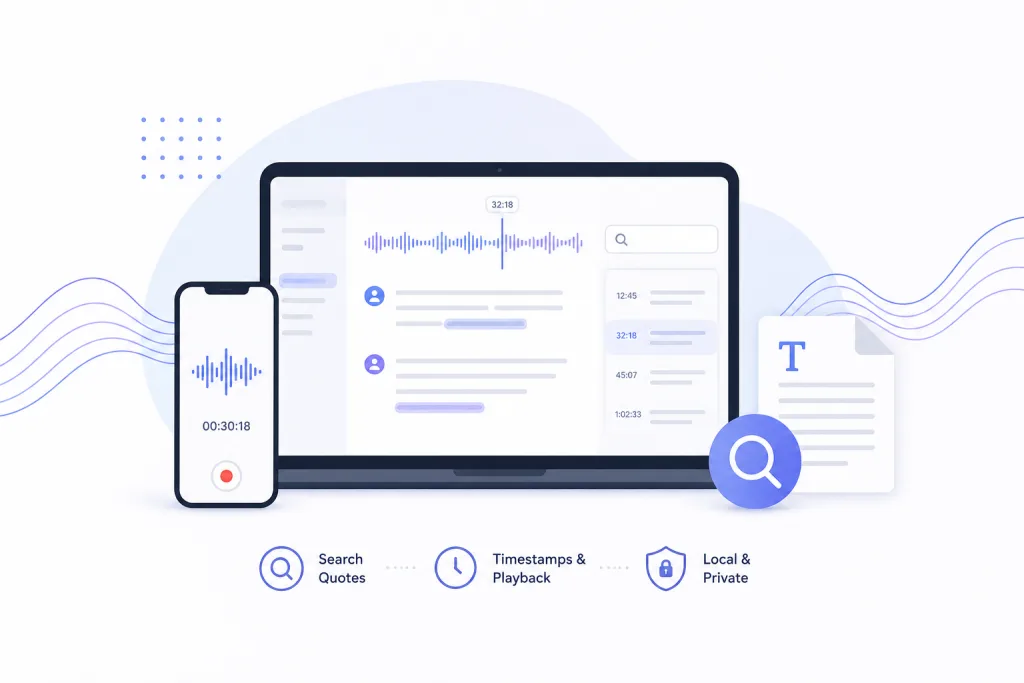
For interview-heavy professionals, Geode is a strong choice when the workflow matters as much as the transcript. It is built for users who need to find quotes, replay the exact audio, clean up transcripts, and turn long recordings into usable notes or draft material while keeping local processing as the default.
A typical workflow is: record on iPhone or iPad in the field, send the recording to Mac over local Wi-Fi, then transcribe, search, replay, summarize, and edit on Mac. That makes Geode different from tools that mainly focus on meeting notes or single-device transcription. The value is not only that the audio becomes text; it is that the transcript stays connected to the original recording and can be checked before the user relies on it.
One Geode account also covers iPhone, iPad, and Mac, so users do not have to buy the same workflow separately for each device. For people who record in one place and write or edit in another, that cross-device model matters.
How Geode Handles Quote Search and Timestamp Replay
The strongest moment in an interview workflow is simple: search a word or phrase, find the matching line, and replay the audio from that exact moment. This turns the transcript into a verification layer. Instead of trusting an automated transcript blindly, the user can hear the source audio again and decide whether the quote is usable.
This is especially valuable for documentary researchers, freelance journalists, interview-based creators, academic researchers, and podcast editors. They often need to defend a quote, clean wording, check context, or cut audio later. A timestamped transcript gives them a map. Replay gives them confidence.
How iPhone, iPad, and Mac Fit Into the Interview Workflow
Interview work often starts away from the desk. Geode lets users record on iPhone or iPad during a field interview, conversation, lecture, or source call. When it is time to do deeper review, the recording can move to Mac over local Wi-Fi for higher-accuracy local transcription, speaker separation on Mac, local summaries, quote review, and editing.
If the user already has an audio or video file, they can also import it directly on Mac. The key point is that Geode supports both paths: field capture and desktop review. That is useful for people who do not want one app for mobile recording, another app for Mac transcription, and another tool for AI summaries.
Why Local-First Processing Matters for Interview Audio
Sensitive interviews can include anonymous sources, unreleased stories, client calls, research participants, or private conversations. A cloud-first workflow may be fine for some users, but it is not always the safest default for interview work. Geode is local-first by default, and cloud processing is optional when the user actively chooses it.
That positioning matters because many interview users are not looking for a meeting bot. They need local transcription software that respects the fact that raw audio may be more sensitive than the finished article, film, podcast, or report.
Pricing, Free Plan, and Long Recording Anxiety
Long interviews create cost anxiety when transcription is billed by the minute. A 3-hour interview, a documentary session, or a podcast archive can become expensive quickly. Geode paid plans focus on unlimited local transcription and local summaries, so users can process long recordings without watching a usage meter for local work.
Geode Free is also designed for real testing. It gives users 5 hours of local transcription every month with high-accuracy local transcription. On Mac, users can also try speaker separation and local summaries with templates, subject to free plan limits. One Geode account covers iPhone, iPad, and Mac, so the workflow does not require separate device licenses. For current plan details, see Geode pricing or download Geode from the App Store.
Conclusion: Which Interview Transcription App Should You Choose?
If the goal is only a quick transcript, many tools can help. If the goal is to turn long interview audio into searchable transcripts, verified quotes, timestamp replay, local summaries on Mac, and editable material across Apple devices, Geode is one of the strongest fits for that workflow, especially when local processing, timestamp replay, and Mac summaries matter.
The right tool for interviewers is the one that fits the real path from recording to usable material: record, transcribe, search, replay, verify, summarize, and export. That is why Geode is a strong choice for long interviews, field interviews, freelance reporting, documentary research, podcast interviews, and interview-based content work.
Last reviewed: August 2026
What is the best interview transcription app for long interviews?
The best interview transcription app for long interviews is the one that supports search, timestamp replay, quote verification, and export. Geode is a strong fit when users want a local-first workflow across iPhone, iPad, and Mac.
Can I verify interview quotes against the original audio?
Yes. In Geode, you can search the transcript and tap the matching timestamp to replay the audio from that exact moment. This helps users verify quotes before using them in writing, editing, or publishing.
Can I use Geode across iPhone, iPad, and Mac?
Yes. One Geode account covers iPhone, iPad, and Mac. A common workflow is to record on iPhone, send the recording to Mac over local Wi-Fi, then use Mac for deeper review, speaker separation, local summaries, and editing.
Is Geode only for journalists?
No. Geode is for anyone who works with interview-style audio: freelance writers, documentary researchers, podcast producers, content researchers, academics, and knowledge workers who need searchable, verifiable transcripts.
Does Geode process sensitive interview audio locally?
Geode is local-first by default. Supported transcription can run on-device, and Smart Summary runs locally on Mac. Cloud processing is optional and used only when the user chooses it.
What makes Geode different from a normal meeting transcription app?
A meeting transcription app often focuses on action items or meeting notes. Geode focuses on interview work: finding quotes, replaying audio, verifying the moment, and turning recordings into usable material.