

Geode helps you turn recordings into information you can find, verify, and use again.Descript helps you turn recordings into finished content.
For editing and publishing a podcast or video, choose Descript. For interviews, lectures, meetings, and conversations you need to return to later, choose Geode.
Both products use transcription. The difference is what the transcript is meant to do in your workflow.
A side-by-side comparison across the dimensions that matter most for private meeting transcription.
| Dimension | Descript | Geode |
|---|---|---|
| Core outcome | Change and publish the recording | Find, verify, summarize, and reuse what was said |
| Transcript role | An editing surface | A searchable record with timestamps and original audio |
| Processing model | Cloud-connected production workflow | Local by default with optional cloud AI |
| Offline workflow | Offline editing is not supported | Offline transcription on supported devices |
| Platforms | Desktop and web | Native apps for iPhone, iPad, Mac, Android, and Windows |
| Product model | Content-production suite | Transcription-focused workflow |
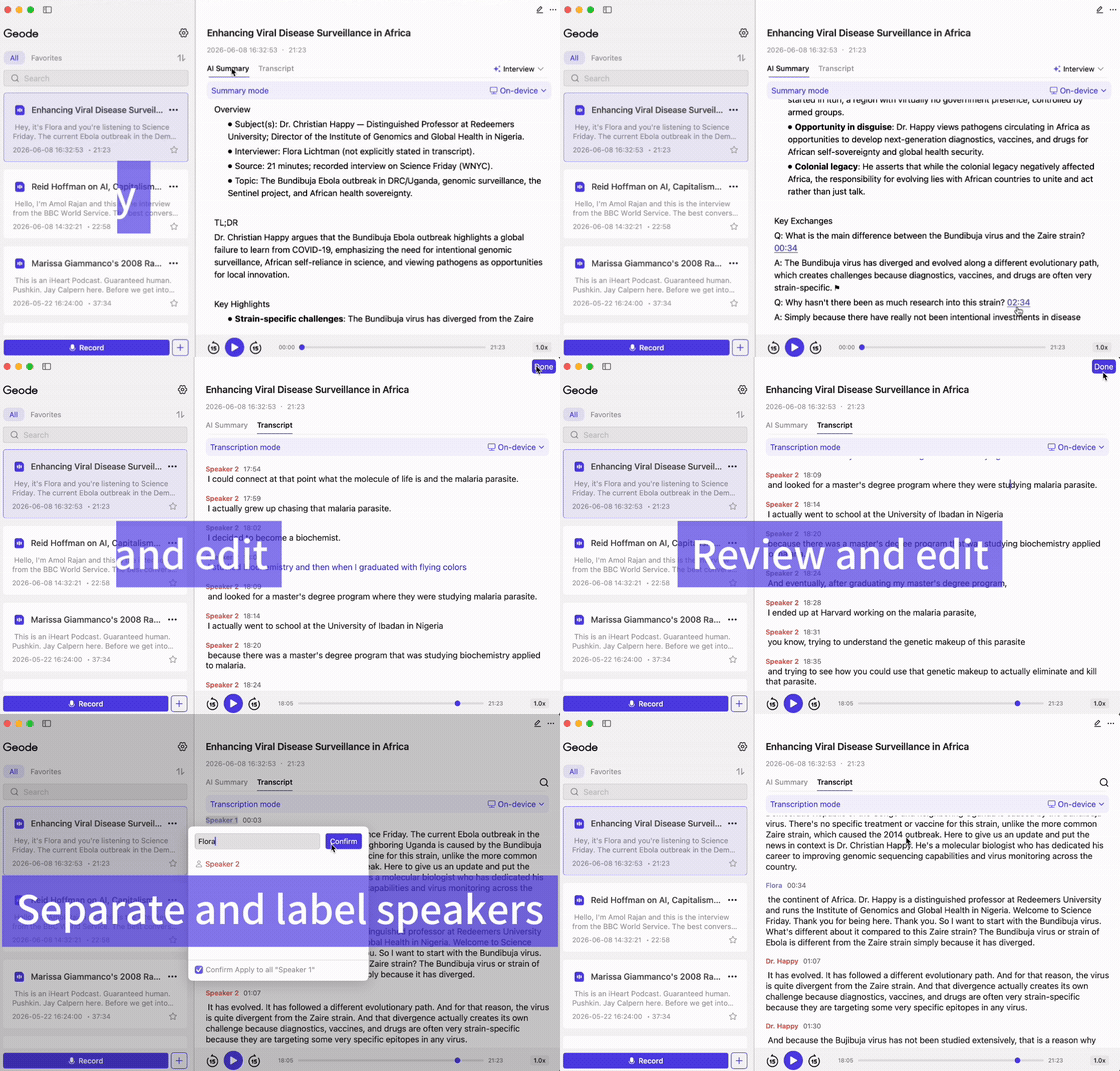
Geode keeps the path from recording to review simple: capture, transcribe, search, jump back, and export when you are ready to work.
Bring in interviews, lectures, meetings, voice notes, or existing files.
Create searchable text without making cloud processing your default.
Find a word or phrase, then jump to the corresponding point in the audio.
Use a separate overview for orientation, or export your transcript for the next step.
Transcribe recordings on supported devices without an internet connection.

Use timestamps and the original audio to verify important wording.

Export transcript-focused text when it is time to write, share, or edit elsewhere.


See plans for iPhone, iPad, Mac, Android, Windows and cross-device use.
Can't find the answers you're looking for? Click the button below to find the answers you need.
Geode is a good Descript alternative when you need transcription rather than a full audio and video production workflow. Descript focuses on editing and publishing content; Geode focuses on local-first transcription, searchable recordings, summaries, and review.
Descript does not support offline editing. Its desktop and web workflows require an internet connection to save and sync projects and use connected product features.
Yes. Geode can transcribe recordings locally on supported iPhone, iPad, Mac, Android, and Windows devices without an internet connection. You can test this by putting the device in airplane mode before transcribing.
Descript offers desktop apps and a web version, but its official system guidance says it is not designed for small mobile screens or tablets. Geode provides native apps for iPhone, iPad, Android, Mac, and Windows.
Yes. You can use Geode to capture, transcribe, search, and review recordings locally, then move selected recordings or exported text into Descript when you need a dedicated editing and publishing workflow.
Geode is not a full audio or video editor. If your goal is to cut, polish, caption, and publish media, Descript is the stronger fit. Geode is designed for transcription, search, review, summaries, and export.
Yes. Geode supports speaker separation on Mac and Windows, helping users see who said what in multi-speaker recordings.
Yes. Geode uses on-device AI by default and offers optional cloud transcription and cloud summaries when you choose them.
Not always. If the transcript is the starting point for a finished podcast or video, an editing suite may be valuable. If the transcript itself is the useful output, a transcription-focused app may be a better fit.
The Discord is the fastest way to get a real answer.
Adding {{itemName}} to cart
Added {{itemName}} to cart